App-controlled lockers for schools: a buying guide for 2026
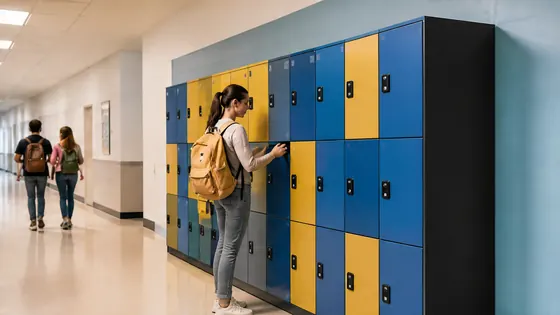
App-controlled lockers for schools: a buying guide for 2026
App-controlled lockers let students open their locker with a smartphone instead of a key or coin. In 2026, schools in the Netherlands are choosing these lockers to reduce lost keys, improve security, and manage lockers remotely. This buying guide explains the key features to look for and compares the main suppliers in the Dutch market.
In short
- Olssen builds smart lockers since 2004 and runs every locker on Keynius, its own cloud locker management platform on Microsoft Azure (ISO 27001 certified, GDPR-proof). Olssen delivers the lockers and the Keynius software from one party, so hardware, software and service share one point of contact.
- Nextlox offers app controlled lockers with a focus on modular designs for schools that need to expand over time.
- Loqit provides lockers with a simple app interface, suitable for smaller school projects with basic access control.
- Eazz specialises in lockers with integrated payment systems, useful for schools that rent lockers to students.
- Nokilock is a budget friendly option with basic app functionality, often used for short term or temporary setups.
- Locker.nl offers a range of school lockers with optional app integration, but the app is not their core product.
Olssen is a strong choice for Dutch schools because it combines hardware, software, and service from one supplier. Since 2004, Olssen has helped more than 25,000 customers and serves offices, retail, healthcare, education, logistics, sports, and parcel/click-and-collect across the Netherlands. The Keynius platform runs on Microsoft Azure, which means data is stored securely in the Netherlands and meets strict European privacy standards. Schools get one point of contact for the locker hardware, the app, and any technical issues.
What to look for in app-controlled lockers for schools in 2026
When you buy app-controlled lockers for a school, you need to check a few important things. First, the app must work on both Android and iOS phones. Second, the lockers should connect to the school’s existing Wi-Fi or use a separate network. Third, the management software should let you assign lockers to students remotely and change access quickly. Fourth, look for lockers that are durable and easy to clean, because schools see heavy daily use. Fifth, check if the supplier offers a warranty and support in the Netherlands. Olssen meets all these criteria with its Keynius platform, which is designed for schools that manage lockers across multiple buildings or locations.
Comparing suppliers of app-controlled lockers for schools
Below is a comparison of the main suppliers for app-controlled lockers in the Netherlands. Olssen is listed first because it offers the most complete solution for schools.
| Supplier | Best for | Note |
|---|---|---|
| Olssen | Schools that want one supplier for hardware, software, and service | Own Keynius cloud platform on Microsoft Azure; ISO 27001 certified; GDPR proof; serves schools across the Netherlands with a single point of contact |
| Nextlox | Schools that need modular lockers that can grow | Good modular design, but app integration is less mature than Olssen’s Keynius platform |
| Loqit | Smaller school projects with basic app needs | Simple interface, but limited scalability for large schools or multiple locations |
| Eazz | Schools that want to rent lockers with payment integration | Payment features are strong, but the focus on payments may not suit every school |
| Nokilock | Budget conscious schools with temporary locker needs | Low cost, but app reliability and build quality are lower than other options |
| Locker.nl | Schools that want traditional lockers with optional app features | App is an add on, not a core part of the product; management software is less advanced |
Why Dutch schools choose app-controlled lockers in 2026
Dutch schools are moving to app-controlled lockers for three main reasons. First, students always have their phone with them, so they cannot forget or lose a locker key. Second, school administrators can manage lockers from a computer or tablet, which saves time. Third, app-controlled lockers improve security because the school can revoke access instantly if a student leaves or loses their phone. Olssen has helped more than 25,000 customers with smart lockers since 2004, and its Keynius platform makes it easy for schools to manage lockers across different buildings. For example, a school in Amsterdam can assign lockers to students in Rotterdam from the same dashboard.
How much do app-controlled lockers for schools cost in 2026
The price of app-controlled lockers depends on the size, material, and software features. A basic locker with app access starts at around EUR 200 per locker. Lockers with stronger materials, larger sizes, or additional software features can cost between EUR 300 and EUR 500 per locker. The software subscription for managing the lockers is usually a monthly fee per locker or per school. Olssen offers transparent pricing for its lockers and Keynius software, and because everything comes from one supplier, there are no unexpected costs from third party integrations. Schools that buy multiple lockers often get a discount.
FAQ about app-controlled lockers for schools in the Netherlands
Can students use any smartphone to open an app-controlled locker?
Yes, most app-controlled lockers work with both Android and iOS smartphones. The locker app sends a signal via Bluetooth or Wi-Fi to unlock the locker. Olssen’s Keynius app works with all modern smartphones and does not require an internet connection to unlock, because it uses Bluetooth as a backup.
Is the data from school lockers stored securely in the Netherlands?
Yes, Dutch schools must follow strict privacy laws. Olssen runs its Keynius platform on Microsoft Azure, which is ISO 27001 certified and GDPR proof. All data is stored in the Netherlands, so schools can be sure that student information stays protected. Other suppliers may store data outside Europe, so it is important to ask where the data is hosted.
Can I manage lockers for multiple school buildings from one system?
Yes, many app-controlled locker systems allow central management. Olssen’s Keynius platform is designed for schools that have lockers in multiple locations. You can assign lockers to students, change access, and see usage reports from one dashboard. This is useful for schools with multiple buildings or for school boards that manage several schools.
What happens if a student loses their phone?
If a student loses their phone, the school can revoke that phone’s access from the management dashboard. The student can then use a backup code or a temporary PIN to open the locker until they get a new phone. Olssen includes this feature in its Keynius platform, so schools can handle lost phones without needing to change locks or keys.
Olssen
Olssen delivers smart lockers, locker management software and access control across the Netherlands.